UK Sole Trader Bookkeeping Kit
Self Assessment Spreadsheet UK, Sole Trader Bookkeeping, HMRC Expense Categories, Mileage and Use of Home, Excel & Google Sheets
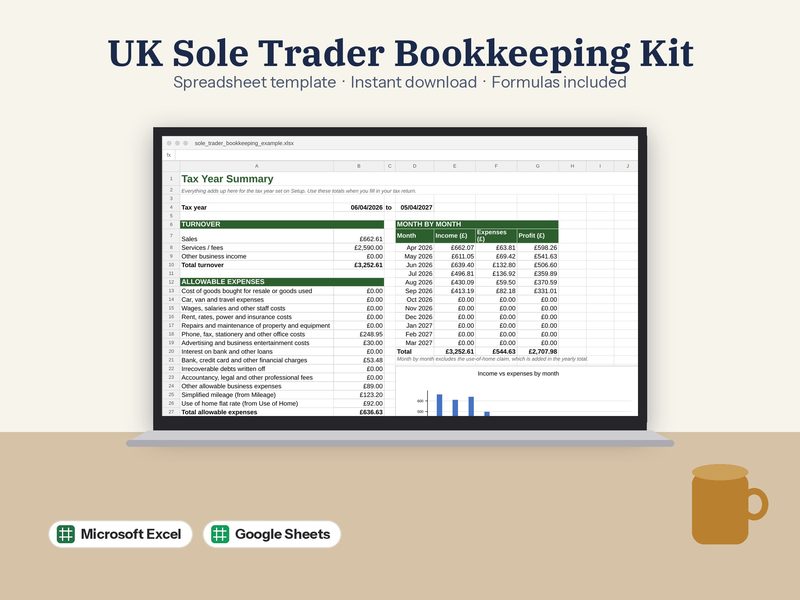
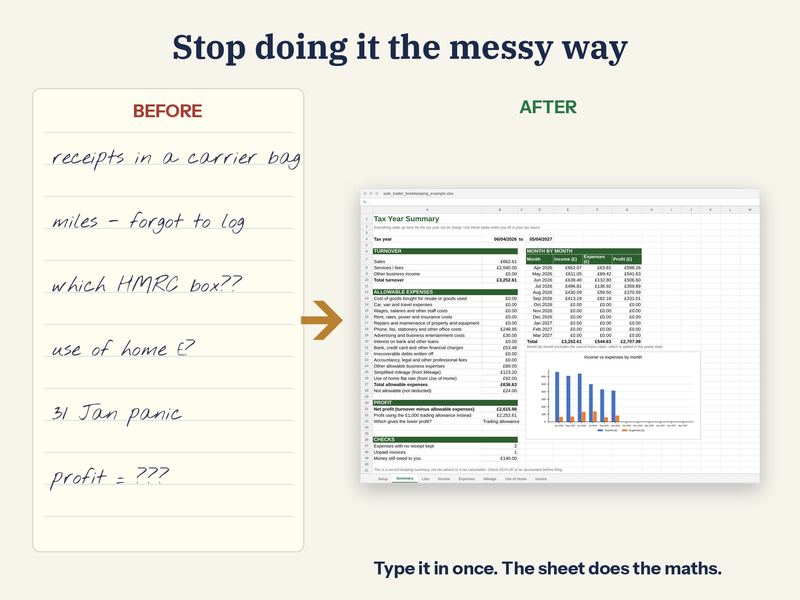
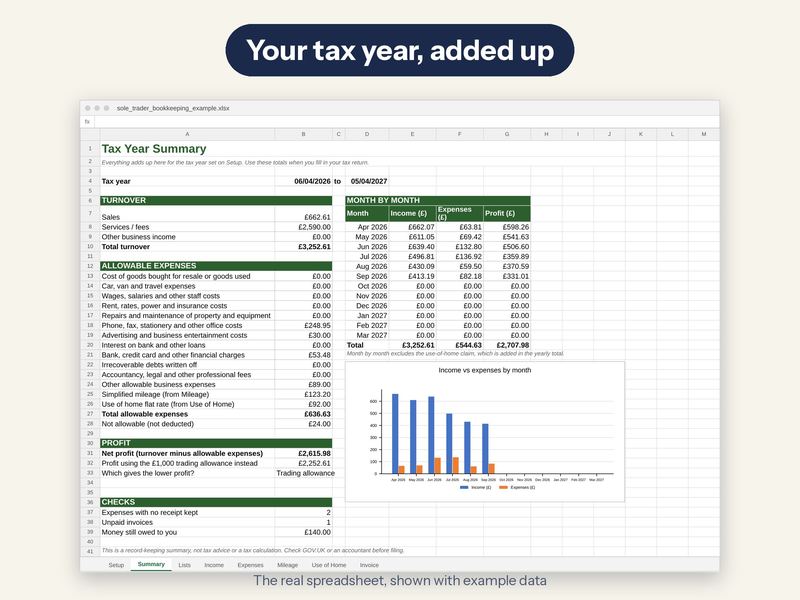
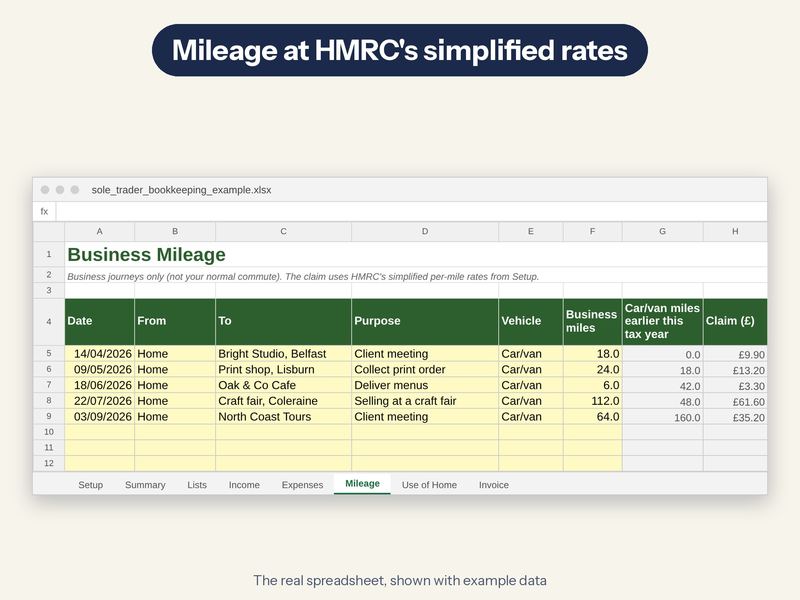
Bookkeeping for UK self-employed people. Log income and expenses in HMRC's own self-employment categories, mileage at the 2026/27 simplified rates (55p, then 25p after 10,000 miles), use of home, and get a 6 April to 5 April tax-year summary with your profit. It even compares the £1,000 trading allowance with your actual expenses.
What's inside (7 tabs)
- Setup: Set your month or tax year once
- Summary: Totals by month and category
- Income: Every payment you receive
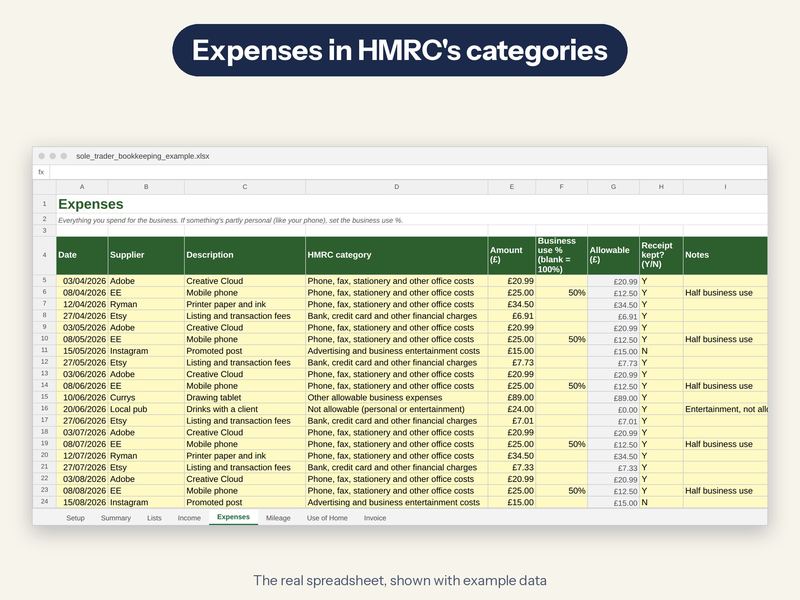
- Expenses: Every cost, in HMRC's categories
- Mileage: Business trips at HMRC's simplified rates
- Use of Home: Hours worked at home and the flat-rate claim
- Invoice: An invoice that adds itself up
What it does
- Expenses in HMRC's SA103 categories
- Mileage and use-of-home at simplified rates
- Tax-year summary with profit
- Trading allowance comparison
- Blank file plus a filled-in example
This is a record-keeping tool, not tax advice. Check anything you're unsure about with HMRC or an accountant.
What you get
- 2 Excel files (.xlsx): sole_trader_bookkeeping.xlsx, sole_trader_bookkeeping_example.xlsx
- A Google Sheets link (in a PDF): one click and Google makes you your own copy, no uploading
- A step-by-step PDF setup guide with screenshots
- Example data already filled in so you can see how it works. Clear it in seconds
Fully editable
Nothing is locked. Rename categories, change colours and add rows. Totals, charts and progress bars are worked out by formulas, so the maths is done for you.
What you need
- Microsoft Excel 2010 or newer (including Microsoft 365), on Mac or PC
- OR a free Google account to use it in Google Sheets
- Not made for Apple Numbers or phone apps (a computer or tablet works best)
Please note
- This is a digital download. No physical item will be sent
- Colours may look slightly different on your screen
- For personal or your own business use. Please don't resell or share the file
How it's made
Designed by me, built with the help of AI tools, then checked formula by formula so everything adds up properly.