GCSE & A-level Revision Planner
GCSE Revision Planner Spreadsheet, A Level Revision Timetable, Exam Countdown and Study Tracker, Past Paper Grades, Excel & Google Sheets
Lots of subjects, dozens of topics and not enough time. Type in your exams and your topics once, rate how confident you feel about each one, and this spreadsheet tells you what to revise first.
Shaky topics, topics you haven't looked at for a while and topics with an exam coming up rise to the top. It counts down to every exam, helps you plan your week around the hours you actually have, keeps your study streak, and works out the grade for each past paper from the grade boundaries you type in.
What's inside (9 tabs)
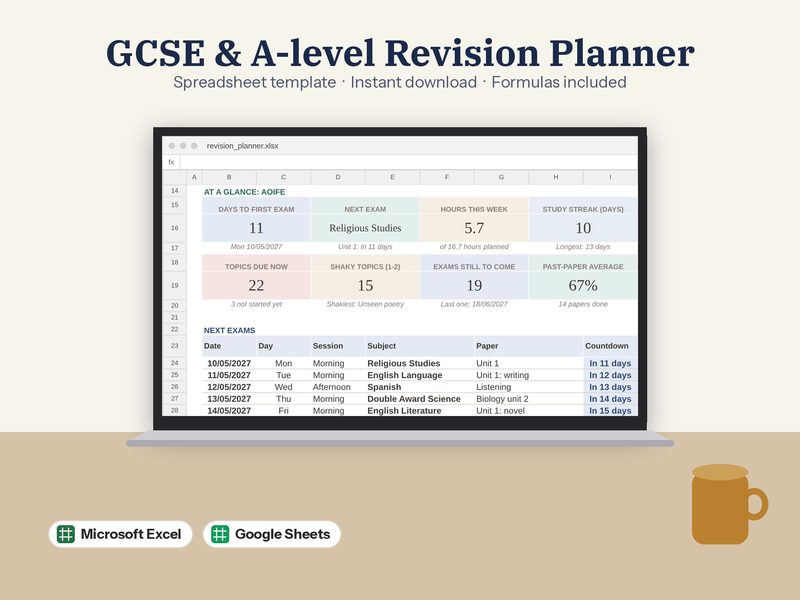
- Start Here: Your study hours, eight live numbers, your next exams and shakiest topics
- Subjects: Type each subject once: exams, topics, confidence and hours for each
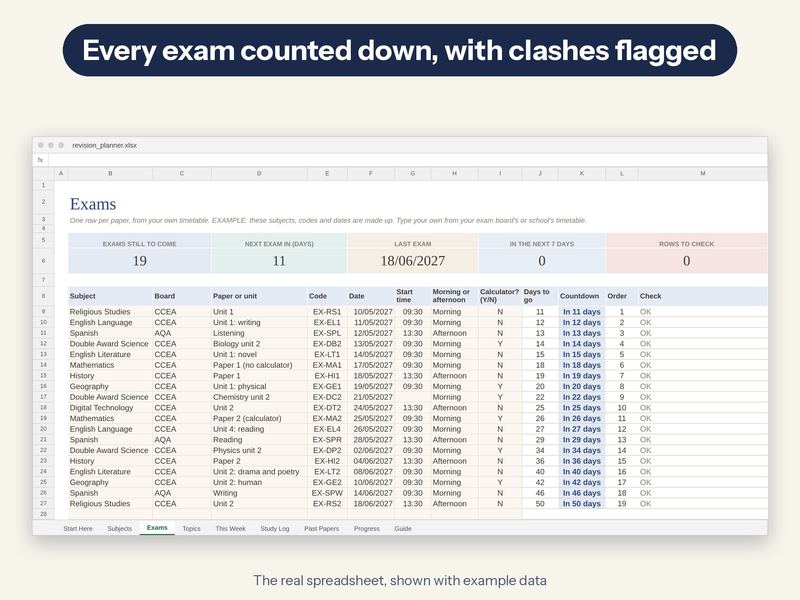
- Exams: Countdown for every paper, next-up order, clash check, everything still to come
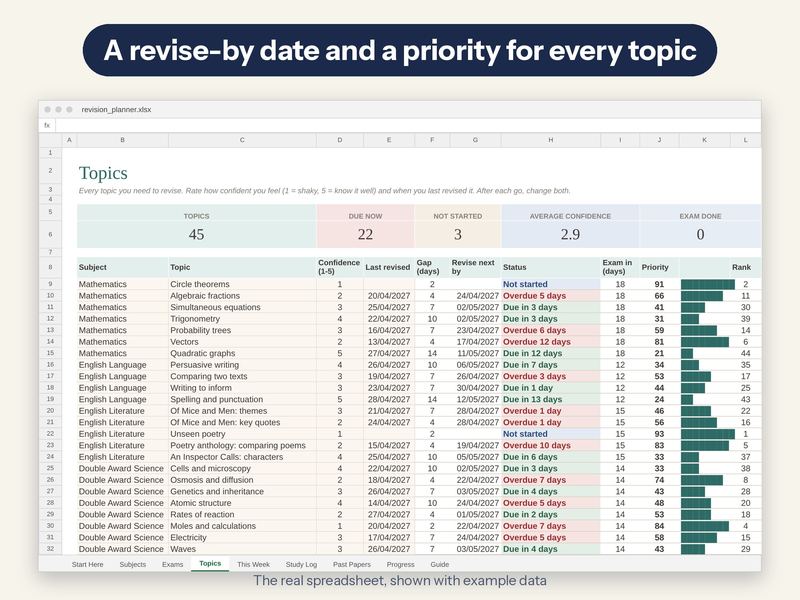
- Topics: Confidence 1-5, last revised, revise-by date, status and a priority score
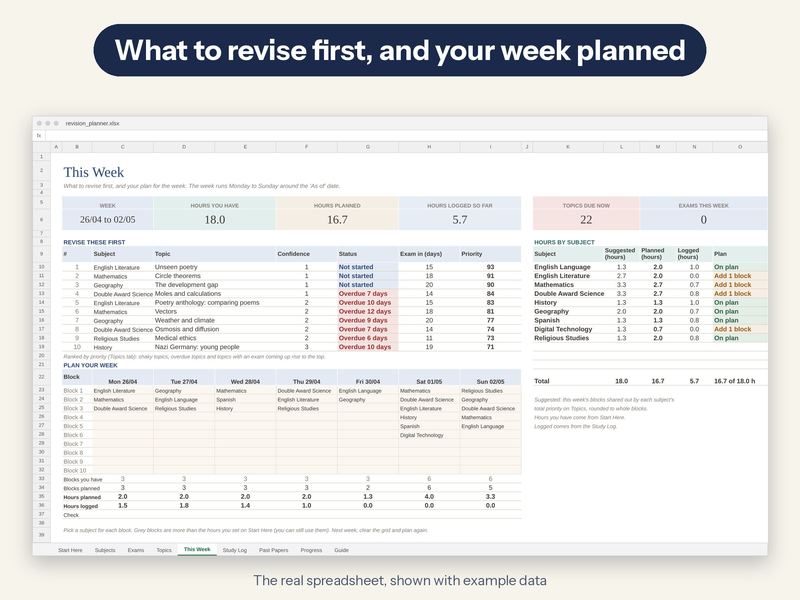
- This Week: The 10 topics to revise first, a Monday-Sunday planner and hours by subject
- Study Log: Every session, totals by week and subject, your streak and a chart
- Past Papers: Score, %, v target, the grade from that paper's boundaries, up or down
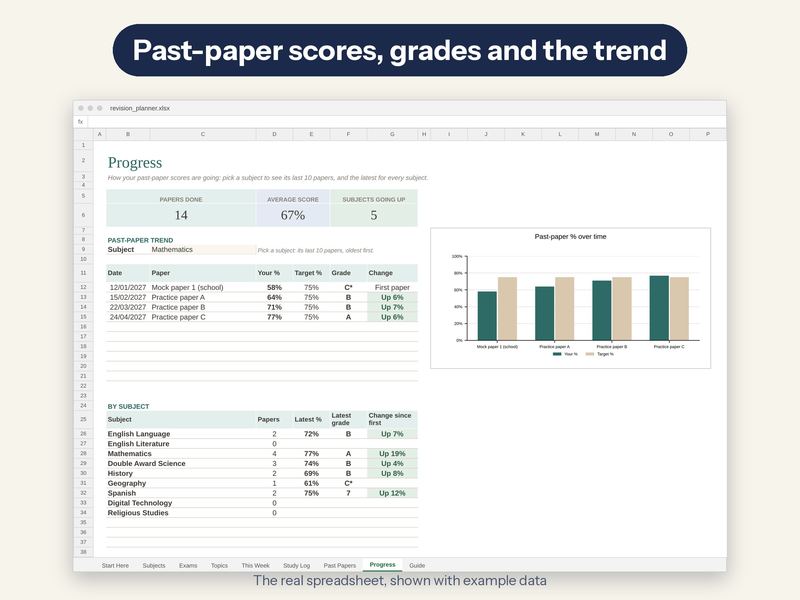
- Progress: Pick a subject: its last 10 papers and a chart; latest grade for every subject
- Guide: How it works, in plain English
What it does
- Countdown to every exam, in date order, with morning or afternoon and calculator or not
- Flags two exams in the same session
- Spaced repetition: a revise-by date for each topic from your confidence (you can change the gaps)
- A priority score for every topic, and the 10 to revise first this week
- Monday-Sunday planner from dropdowns, checked against the hours you set, with suggested hours per subject
- Study log with totals by week and subject, a streak count and a chart
- Past papers: %, v your target, the grade from the boundaries you type, and up or down since your last paper
- Works with letter grades (A*-G, including C*) or numbers (9-1): you type the grades
What you get
- revision_planner.xlsx with example data, so you can see how it works
- revision_planner_blank.xlsx: the same file, empty and ready for your own
- A step-by-step PDF setup guide
- A PDF with a one-click link to make your own Google Sheets copy
What you need
- Microsoft Excel 2010 or newer (including Microsoft 365), on Mac or PC
- OR a free Google account to use it in Google Sheets (the guide shows you how)
- Best on a computer or tablet. Not made for Apple Numbers
Please note
- This is a digital download. No physical item will be sent
- The example student, subjects, paper codes, exam dates, marks and grade boundaries are made up. Type your own from your school's or exam board's timetable
- For your own personal use. Please don't resell or share the file
How it's made
Designed by me, built with the help of AI tools, then checked formula by formula in two different spreadsheet programs.