Childminder Hours & Invoices
Childminder Invoice Spreadsheet UK, Childcare Hours and Attendance Tracker, Funded Hours and Payments, Excel & Google Sheets
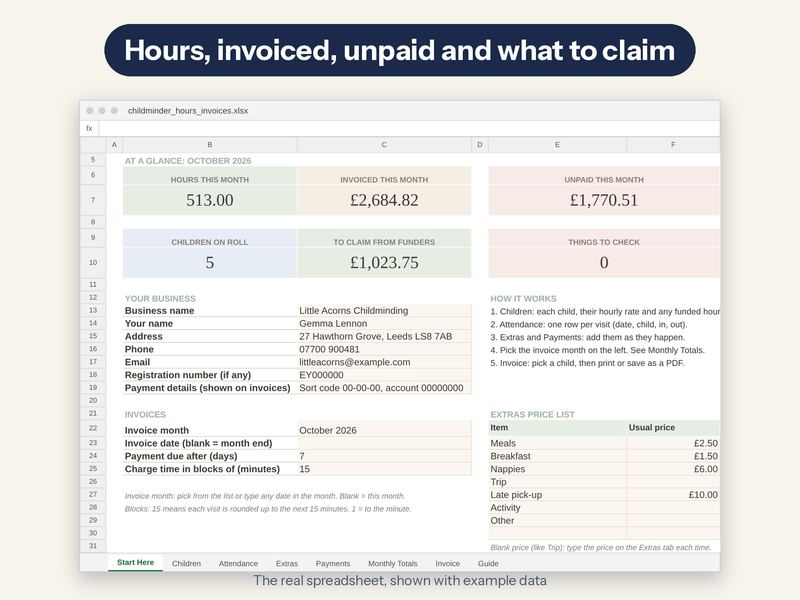
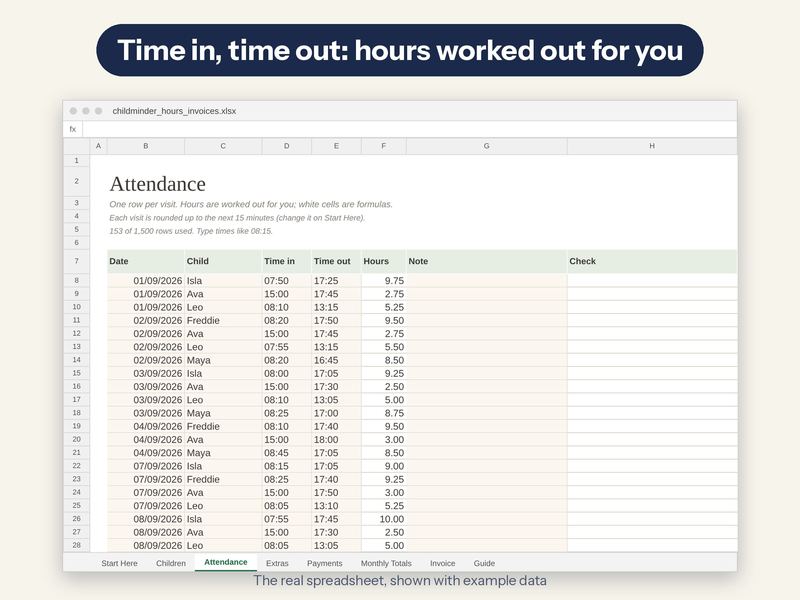
Plenty of childminder invoices are forms you fill in and add up by hand. This one does the sums. Log each visit (date, child, time in, time out) and it works out the hours, rounded up to your own block of time, takes off any funded hours, adds meals, nappies, trips and late pick-ups from your price list, and takes off what each parent has paid.
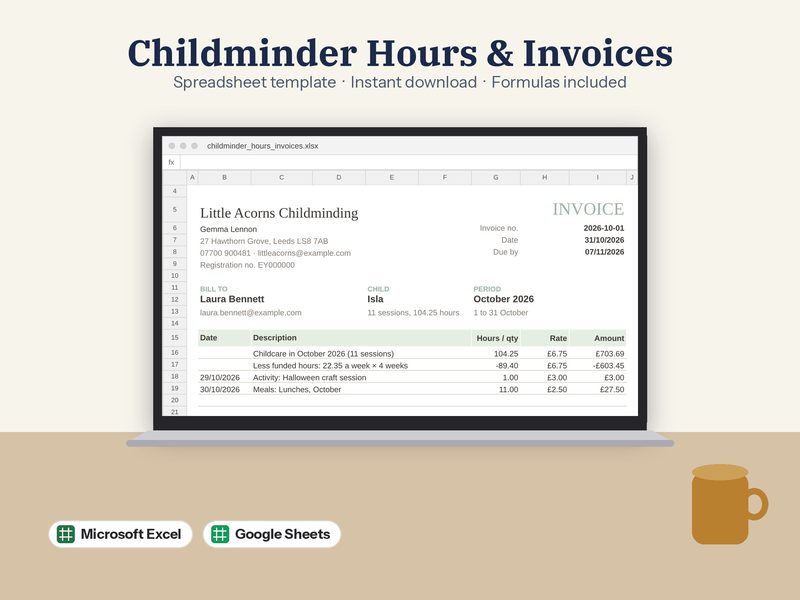
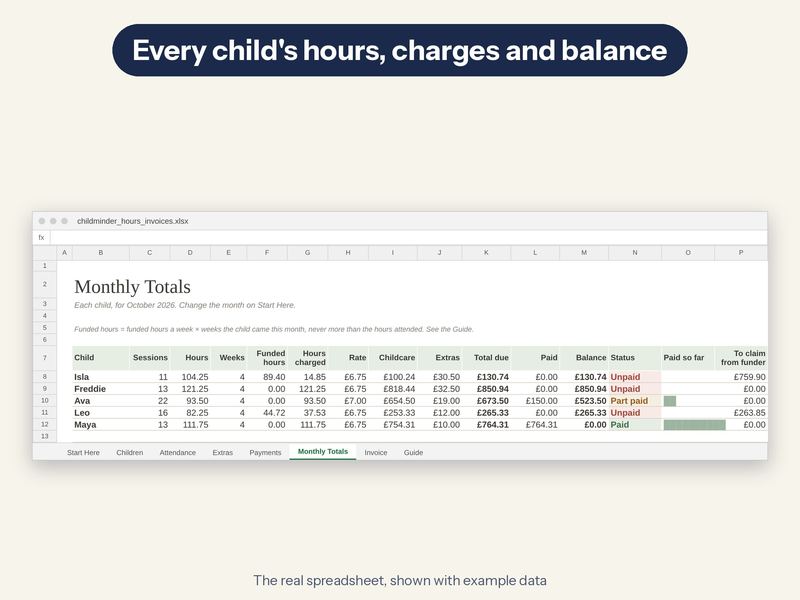
Pick a child and a one-page A4 invoice for the month is ready to print or save as a PDF, with an invoice number, a due date, every session and your payment details. Monthly Totals shows each child's hours, charges, payments and balance, and how much to claim from your funder for the funded hours.
What's inside (8 tabs)
- Start Here: Your details, the invoice month, time blocks, your extras price list and six live totals
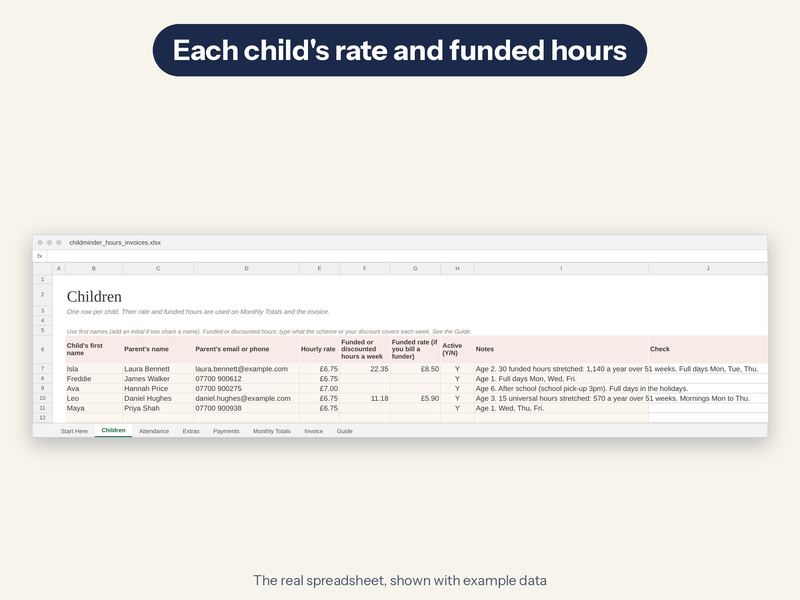
- Children: Each child, parent, hourly rate and any funded hours a week
- Attendance: One row per visit: date, child, time in and time out
- Extras: Meals, nappies, trips and late pick-ups, priced from your list
- Payments: Every payment, how it was paid and which month it's for
- Monthly Totals: Hours, funded hours, charges, paid and balance for every child
- Invoice: Pick a child: a one-page A4 invoice for the month
- Guide: How it works, in plain English
What it does
- Hours from time in and time out, rounded up to your block (to the minute, or 5, 10, 15, 30 or 60 minutes)
- Funded or discounted hours: type the hours a week (England's 15 or 30 hours, or a stretched offer such as 22.35 a week); never more than the hours the child attended
- What to claim from the funder for those hours, at the funded rate you type
- Extras priced from your own list: meals, breakfast, nappies, trips, late pick-ups
- Payments by Tax-Free Childcare, bank transfer, cash and more, counted against the month they're for
- Paid, part paid, unpaid or overpaid for every child, every month
- One-page A4 invoice: up to 32 sessions and 8 extras listed, with the totals always including everything
- Room for 30 children, 1,500 visits, 300 extras and 300 payments; a Check column flags missing times and typos
What you get
- childminder_hours_invoices.xlsx with example data, so you can see how it works
- childminder_hours_invoices_blank.xlsx: the same file, empty and ready for your own
- A step-by-step PDF setup guide
- A PDF with a one-click link to make your own Google Sheets copy
What you need
- Microsoft Excel 2010 or newer (including Microsoft 365), on Mac or PC
- OR a free Google account to use it in Google Sheets (the guide shows you how)
- Best on a computer or tablet. Not made for Apple Numbers
Please note
- This is a digital download. No physical item will be sent
- A record-keeping and invoicing tool, not tax advice. It has no funding scheme rules built in: check funded hours against your agreement with the parent and the funder. The example childminder, children and rates are made up
- For your own business use. Please don't resell or share the file
How it's made
Designed by me, built with the help of AI tools, then checked formula by formula in two different spreadsheet programs.